![trs-logo-black.webp]](https://help.thereadystate.com/hs-fs/hubfs/trs-logo-black.webp?height=50&name=trs-logo-black.webp)
On the web
- Go to TheReadyState.com.
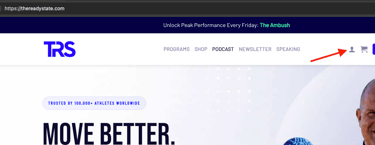
- Select the account/login icon in the upper-right corner.
- Sign in using the email address and password associated with your Mobility Coach membership.
- Once signed in, open the Mobility Coach web app.
- Your Mobility Coach dashboard will include your current programming, Daily Mobility, targeted mobility work, and other available Mobility Coach content.
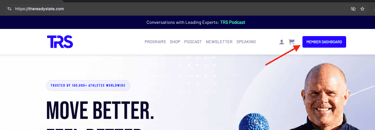
Or you can login directly to the webapp and skip the member dashboard.
https://app.thereadystate.com/auth/login
In The Ready State mobile app
- Open The Ready State app on your phone.
- Sign in using the email address and password associated with your Mobility Coach membership.
- Once signed in, your Mobility Coach content will appear in the app.
- From the main screen, you can access your current Daily Mobility and other Mobility Coach programming.]
Web or mobile — which should I use?
Your Mobility Coach membership can be accessed through either the web app or the Ready State mobile app, so you can use whichever is most convenient.
The mobile app is for Mobility Coach content only. Protocols and professional courses are accessed elsewhere.
If you’re looking for a protocol, professional course, or Starrett System content, see:
Where do I log in to access my Ready State content?
I can sign in, but I still don’t see my Mobility Coach content
If you can log in successfully but your Mobility Coach membership or programming is not appearing, the issue is likely related to account access or subscription recognition, rather than login.