![trs-logo-black.webp]](https://help.thereadystate.com/hs-fs/hubfs/trs-logo-black.webp?height=50&name=trs-logo-black.webp)
Mobility Coach
If you subscribed on TheReadyState.com
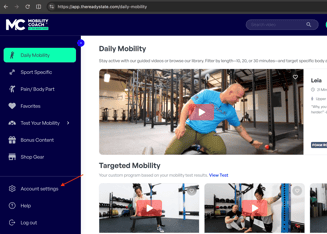
You can update your billing information from your account settings here:
Manage your Mobility Coach subscription ⬅️
Once signed in, open Account Settings and select the subscription/billing section.
If you subscribed through Apple or Google Play
If your Mobility Coach subscription was created through the Apple App Store or Google Play, update your billing information through the payment settings associated with your Apple ID or Google Play account.
Starrett System
Phase 3
Starrett System Phase 3 subscribers can update their billing information by contacting:
A member of the Ready State team will send you a secure payment link where you can enter your new credit card details to attach to your Phase 3 subscription.