![trs-logo-black.webp]](https://help.thereadystate.com/hs-fs/hubfs/trs-logo-black.webp?height=50&name=trs-logo-black.webp)
| If you’re trying to access… | Go here |
|---|---|
| Mobility Coach | The Ready State mobile app or TheReadyState.com |
| Protocols | TheReadyState.com |
| Professional courses, including Ready State 101, Ready State 102, and Training the Injured Athlete | Circle |
| Starrett System programming | Starrett System app |
| Starrett System habit tracking | Starrett System app |
| Starrett System community | Circle |
| General account settings | TheReadyState.com |
TheReadyState.com
Use TheReadyState.com for:
- General Ready State account settings
- Mobility Coach web app
- Protocols
How to sign in
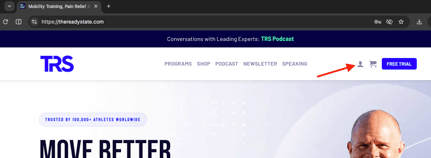
- Go to TheReadyState.com.
- Select the account icon in the upper-right corner of the page.
- Enter the email address or username associated with your Ready State account.
- Enter your password and select Log In.
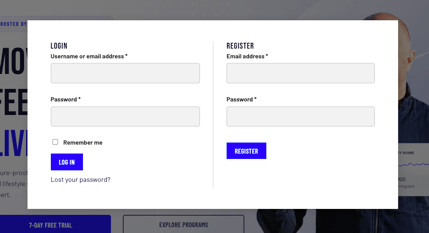
If you don’t remember your password, select Lost your password? and follow the reset instructions.
Circle
Use Circle for:
- Ready State 101
- Ready State 102
- Training the Injured Athlete
- Other Ready State professional courses
- The Starrett System community for full Starrett System members
How to sign in
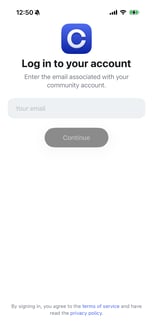
- Open the Ready State community in Circle.
- Enter the email address associated with your course or community account.
- Select Continue.
- Circle will send a sign-in code to your email.
- Enter the code to complete sign-in.
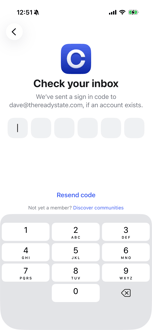
If you don’t receive the code, confirm that you’re checking the inbox for the same email address associated with your Ready State purchase. You can also select Resend code.
Starrett System App
Use the Starrett System app for:
- Starrett System programming
- Starrett System habit tracking
All Starrett System users access their programming through the Starrett System app.
How to sign in
- Open the Starrett System app.
- Enter the email address associated with your Starrett System account.
- Enter your password.
- Select Log In.
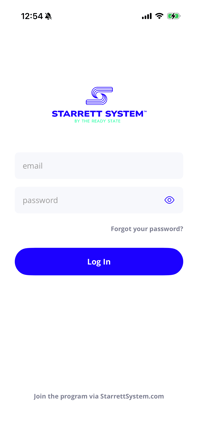
If you don’t remember your password, select Forgot your password?
Mobility Coach Mobile App
Use The Ready State mobile app for:
- Mobility Coach content
Protocols and professional courses are not available in the mobile app.
How to sign in
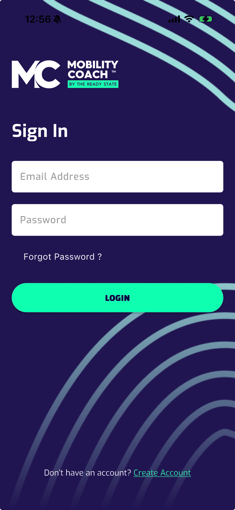
- Open The Ready State app.
- Enter the email address associated with your Mobility Coach membership.
- Enter your password and sign in.