![trs-logo-black.webp]](https://help.thereadystate.com/hs-fs/hubfs/trs-logo-black.webp?height=50&name=trs-logo-black.webp)
If you’d like to retake your Mobility Assessment, follow the steps for the platform you’re using.
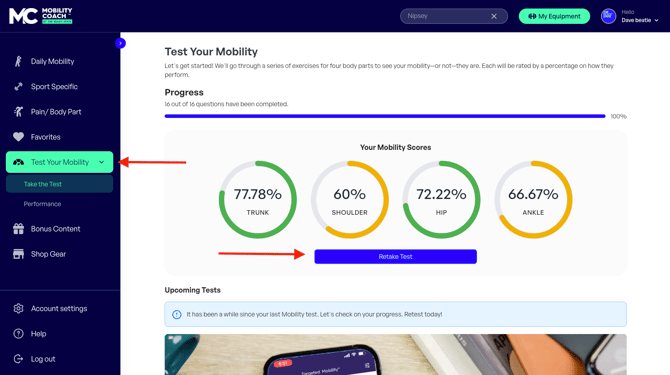
In the web app
- Go to app.thereadystate.com
- Select Test Your Mobility
- Choose Take the Test
- Select Retake Test
In the mobile app
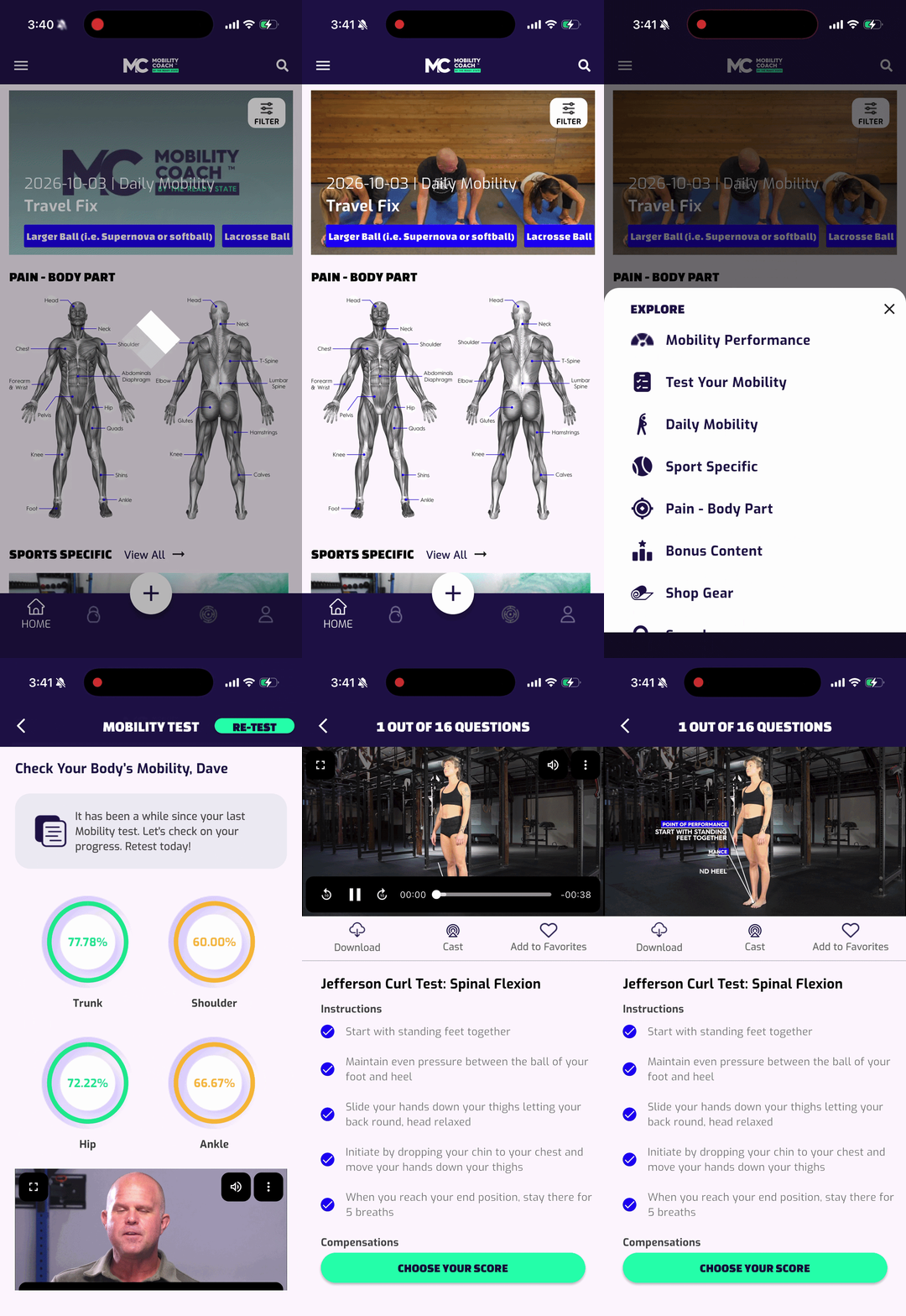
- Open the Mobility Coach app
- From the Home screen, tap the “+” hot menu
- Select Test Your Mobility
- Tap Re-Test
Want to review your previous assessment results?
See our help article: